What do you need to build an AI Agent that controls a physical space? A regular laptop running OpenClaw (deriving intelligence from LLMs), combined with basic sensors and devices, is all you need. What’s even better: You can talk to the agent via Slack!
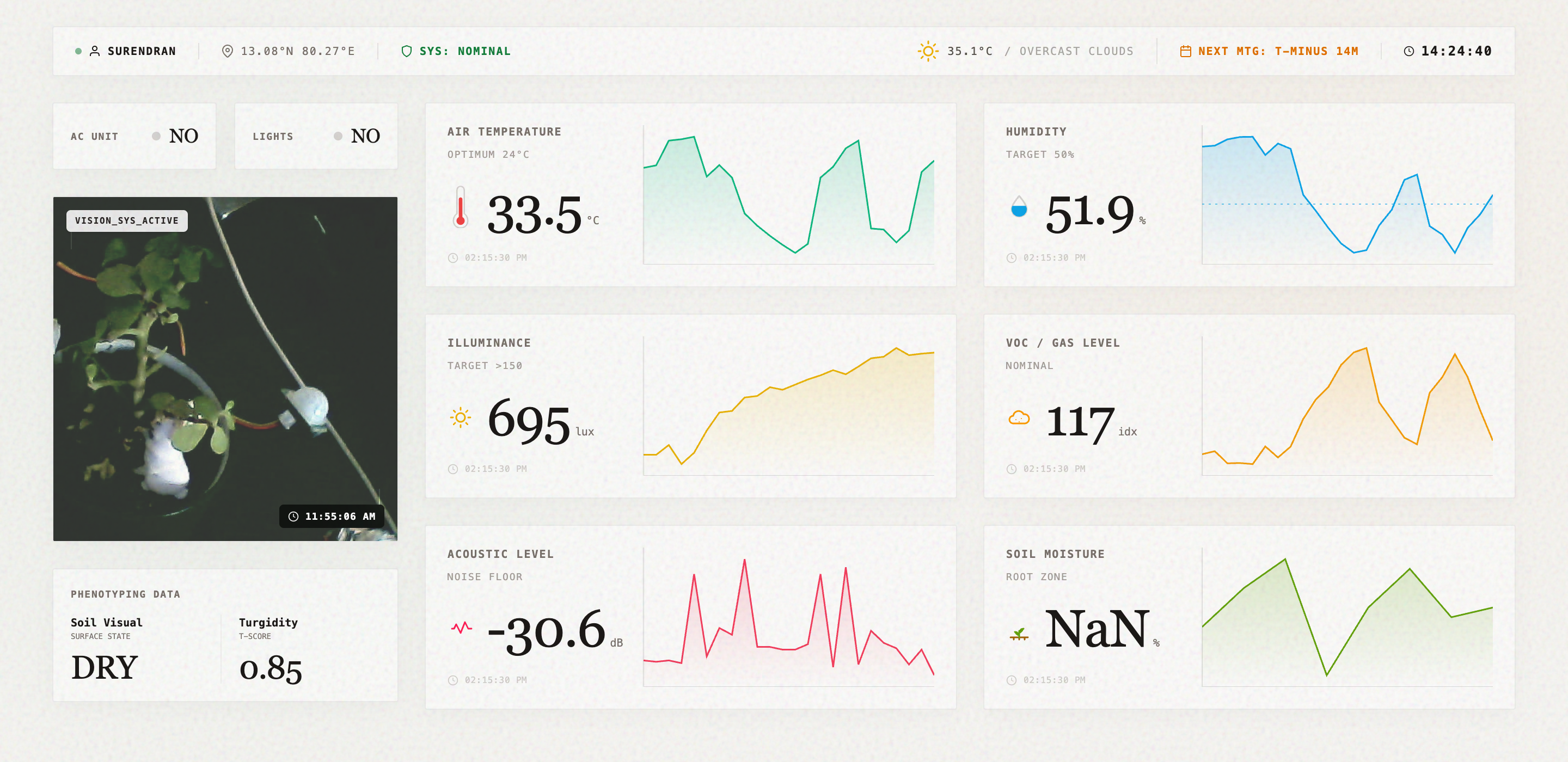
System Architecture
Hardware The hardware setup consists of a BME 680 sensor for environmental data [temperature, humidity, gases], a USB camera capturing images and audio, a PIR sensor for motion detection, and a data feed from Open Weather Map for external weather. A Tuya IR blaster handles the connectivity with the air conditioner, lights, and other connected devices.
Data Python scripts run in the background. They periodically fetch data from these sensors and write the raw telemetry straight to a local SQLite database.
Agent Harness OpenClaw equipped with skills, traces, and the whole setup.
Command Center A simple React app that shows the current status.
OpenClaw Agent
The intelligence of the system lives in the agent layer.
I use OpenClaw as the agent harness, equipped with specific skills to query the local databases for the telemetry and current hardware state OR get call Open Weather Maps for the current state. The skills also point to specific calculations and methods to determine metrics, gradients etc. The harness assembles all these and sends it to the model for intellgience.
I use Gemini, Nemotron, and ChatGPT OSS models in a fallback cascade in case we hit an error.
Slack First
To keep it simple and to be able to give feedback, I set up OpenClaw to communicate directly with me via Slack. This is critical because context engineering and teaching the agent about my preferences is an ongoing exercise. A simple on/off toggle on a web dashboard won’t help with that.
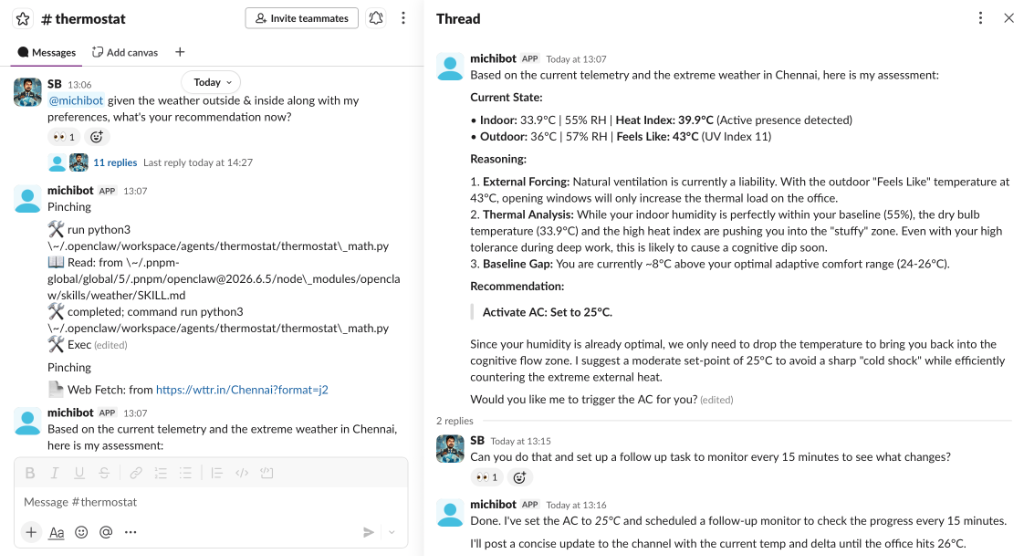
When I drop a note on Slack and tag the agent, it fires off the skill. The underlying LLM then (based on the context from the skills) maneuvers the Python scripts to access the data and the hardware—whether it is to get a latest read of the telemetry or switch on the AC. The agent also keeps the state in a database which then powers the dashboard.
What comes next
I’ve integrated my Apple Calendar and my biometrics using Open Wearables. The goal is to incrementally teach the agent about my world, preferences, schedule, etc., so it can manage my workspace more efficiently and comfortably, optimizing the space for me over time.