There is so much information available in podcasts that it’s easy to get lost or not be able to find what you are looking for. With AI, we can bridge that gap and build an intelligent recommendation system.
How It Works: An AI-First Approach
The recommender uses an AI-first approach, avoiding hardcoded rules in favor of a flexible, three-stage workflow orchestrated with LangGraph.
- Query Reasoning: The system uses Google Gemini 2.5 Flash to understand the intent behind a natural language query (e.g., “episodes about exercise for longevity”) and create an optimized search query for Spotify.
- Search Execution: The AI-generated query is then run against Spotify’s podcast database.
- Result Filtering & Ranking: The AI filters out the noise from the search results, ranks the most relevant episodes based on the original query, and generates explanations for its choices.
The application is powered by a simple Flask backend, keeping it lightweight and easy to run locally.
A Focus on User Experience
A powerful AI engine is only as good as its user experience. I focused on a clean and minimalist UI/UX, drawing inspiration from Spotify’s high standards.
The Homepage: Simplicity and Clarity
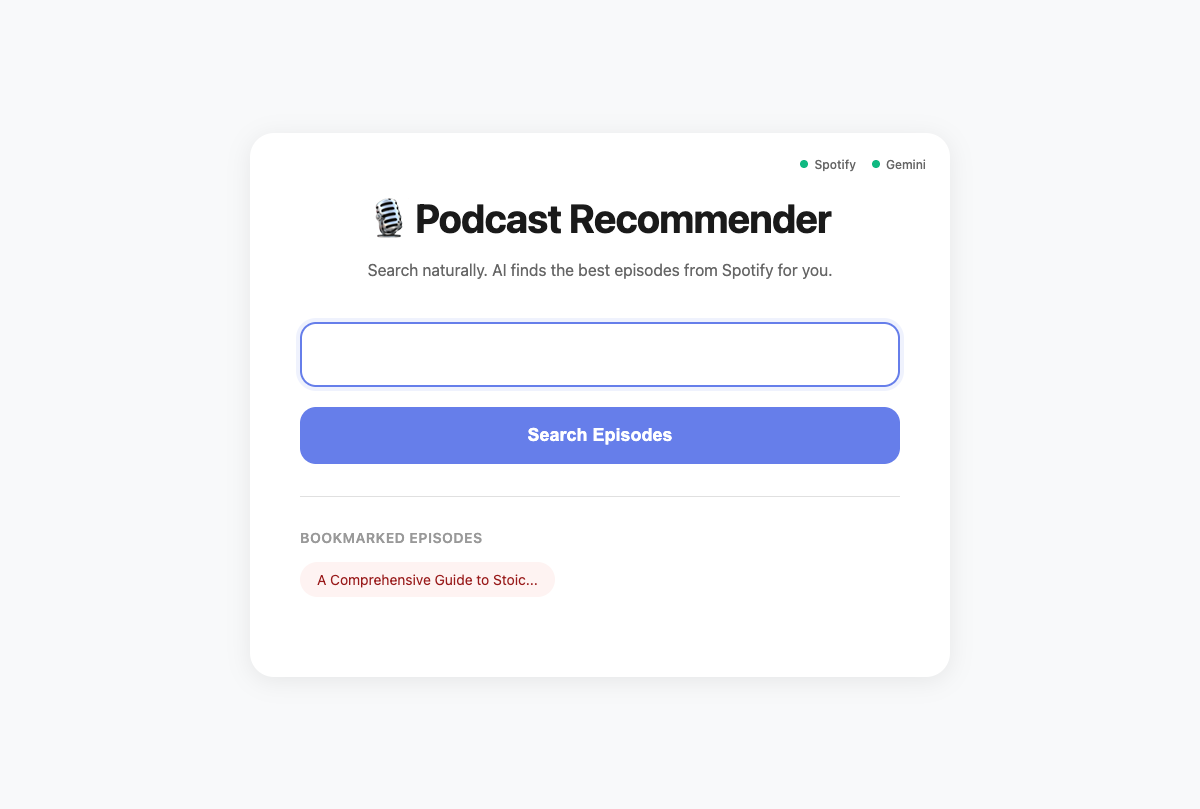
My initial design was cluttered. I stripped it all away to focus on the one thing that matters: the search bar.
A key addition was a subtle API Status Indicator in the top-right corner. Two small dots—one for the Spotify API, one for Gemini—give immediate feedback on whether the connections are working.
The Results: Scannable and Actionable
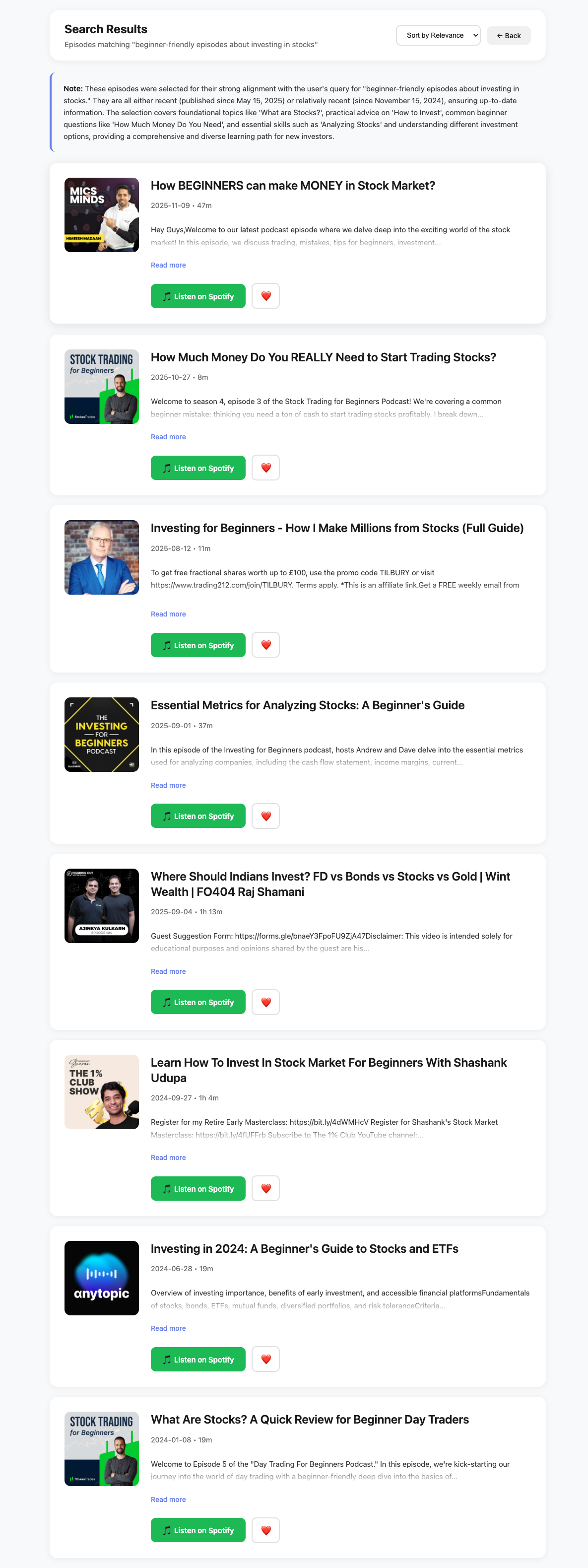
The results page is clean and easy to scan. I simplified the episode cards to show only the essential information: a large Episode Title, the Show Name, Metadata (Date • Duration), a gracefully fading Description, and a prominent “Listen on Spotify” button.
I also removed features like bookmarking and ranking numbers, as they added unnecessary complexity.
Setup Guide
Follow this step-by-step guide to get the podcast recommender running on your machine.
Prerequisites
- Python 3.8+
- A Spotify Developer Account (free)
- A Google AI Studio Account for Gemini API access (free)
Step 1: Get Your API Credentials
Spotify API Setup:
- Go to the Spotify Developer Dashboard and create an app.
- Set the Redirect URI to
http://localhost:5002/callback. - Copy your Client ID and Client Secret.
Google Gemini API Setup:
- Go to Google AI Studio.
- Create an API Key and copy it.
Step 2: Clone and Set Up the Project
git clone https://github.com/surendranb/podcast-recommendation-engine.git
cd podcast-recommendation-engine

python3 -m venv venv
source venv/bin/activate

pip install -r requirements.txt
Step 3: Configure Your Environment
Create a .env file from the example and add your credentials:
cp .env.example .envThen, open .env and add your keys.
Step 4: Launch the Application
python app.pyNavigate to http://localhost:5002 in your browser.
Troubleshooting
- API errors? Double-check that your API keys in the
.envfile are correct and have no extra spaces. - Module not found errors? Make sure you have activated your virtual environment before running
pip install.
Final Thoughts
This project solved a personal problem and was a great chance to work with tools like LangGraph and Gemini. It reinforced my belief in building with a user-centric, privacy-first mindset.